
Run your whole shop from one PC
The till, stock, suppliers, customers, staff and reports in one program. Install it today, start selling in ten minutes, and keep your data on your own computer.
- No card needed
- Any number of staff
- 5 languages
- Windows 10 and 11
- Unlimited staff sign-ins
- Encrypted data on your PC
- English, Urdu, Hindi, Bengali, Spanish
Sound familiar?
Stop running your shop from a notebook and a calculator
Most shop owners lose money in small leaks. Shop Management Solution closes them.
“I never know what is really in stock.”
Every sale and every delivery updates stock. A low-stock list turns into a purchase order in one click.
“I do not trust my staff with the till.”
Everyone signs in with their own name and a role. You decide who can discount, refund or see profit.
“I only find out my profit at month end.”
See sales, profit and what needs attention on one dashboard, today, and export it for your accountant.
What it does
Everything your counter needs, in one place
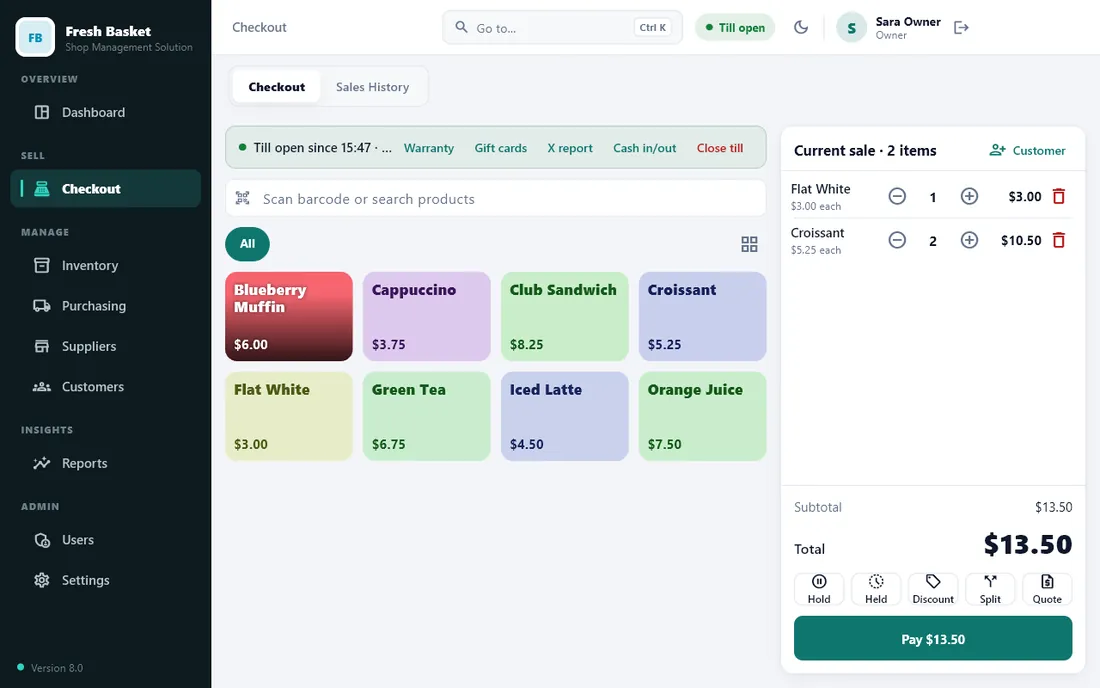
Sell fast, charge right
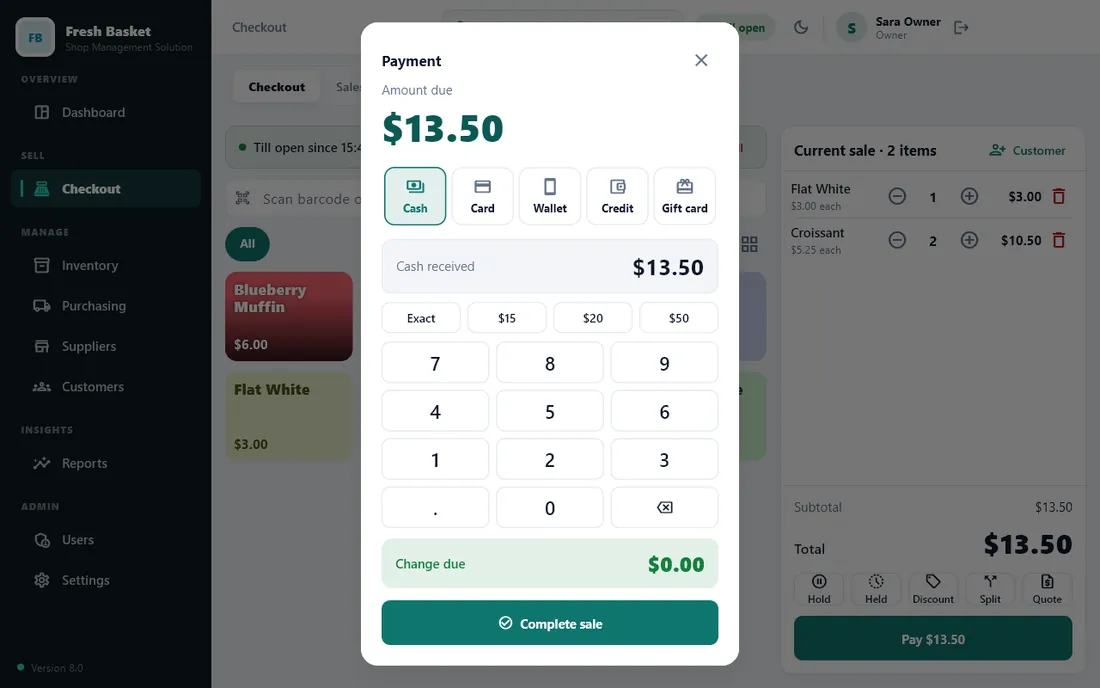
Scan or search, take cash, card or credit in any split, and print a clear receipt. What the screen shows is exactly what is charged.
- Discounts, held sales, returns and gift cards
- Automatic promotions, tax classes and wholesale prices
- Thermal receipts, A4 invoices and quotations
- Restaurant tables, menu options and kitchen tickets
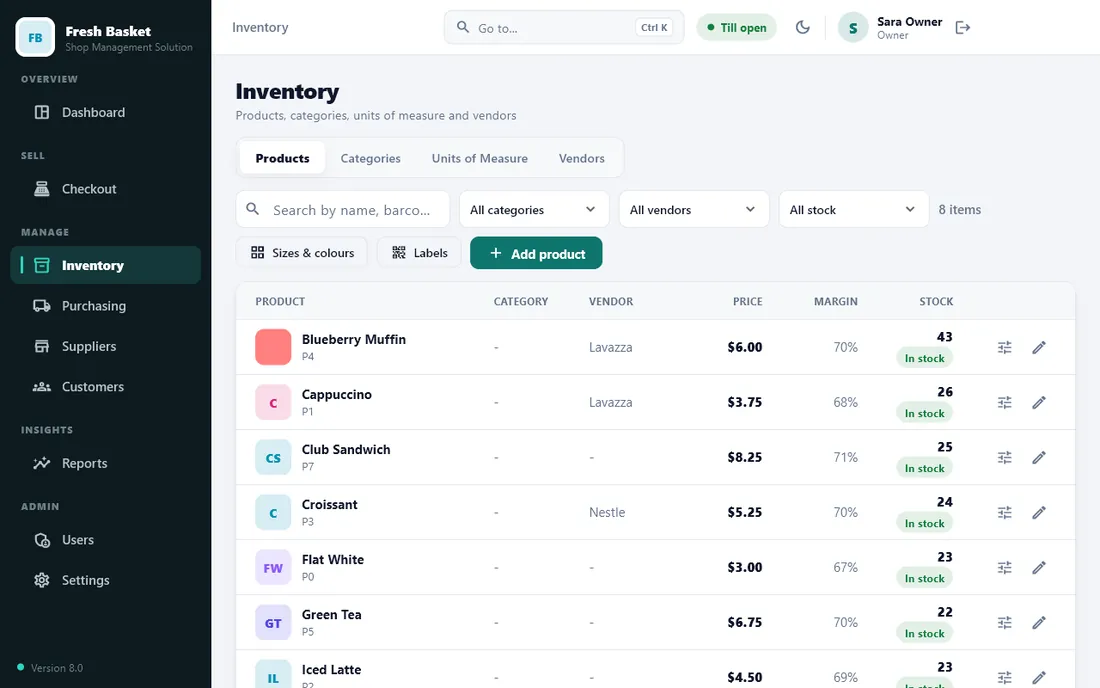
Know what you have and what you owe
Products with pictures and barcodes, stock that moves with every sale, and a clear record of every supplier you buy from.
- Receive goods, pay suppliers, see what you owe each one
- Low-stock list that turns into purchase orders
- Batches, expiry dates, weighed items and serial numbers
- Sizes and colours made in a few clicks
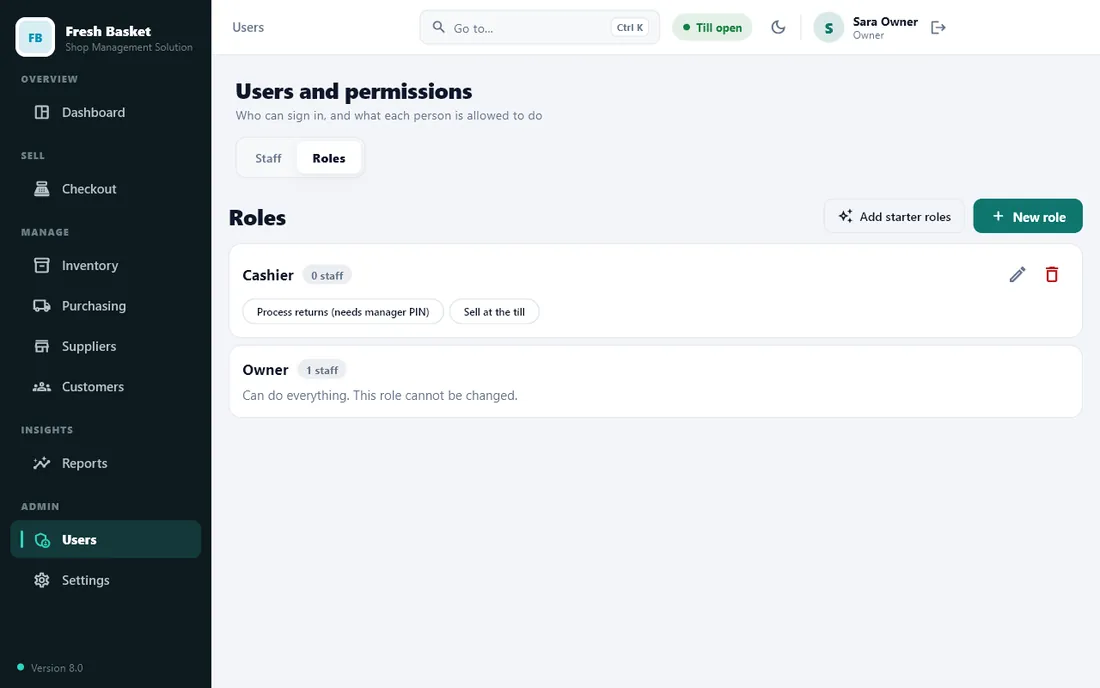
Give each person exactly the access they need
One PC, as many staff as you like. Each role gets a simple grid: who can view, create, edit and delete in each area.
- Owner, manager and cashier roles ready to use
- A discount limit for each role
- Everyone signs in with their own name
- Hidden screens stay hidden, and the program refuses the rest
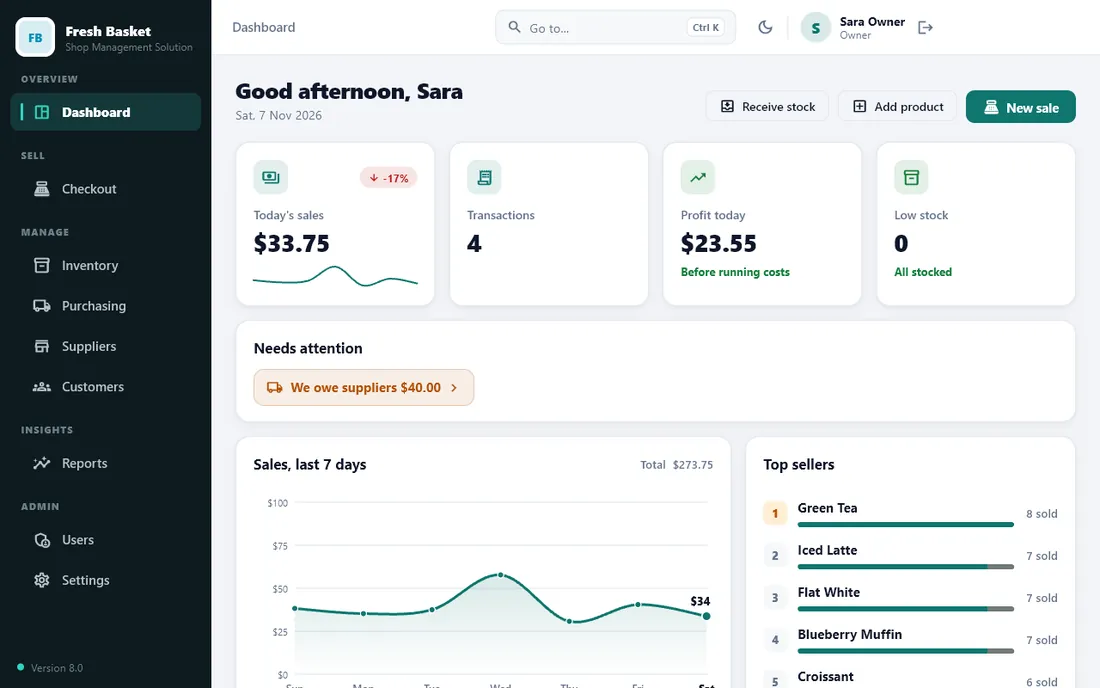
See how your shop is really doing
A dashboard that tells you what needs attention today, and reports for sales, profit, expenses, vendors and stock.
- Sales and profit by day, product and vendor
- Expenses and profit and loss
- Export to Excel, PDF or CSV
- Light and dark look, and a quick-find search (Ctrl+K)
And so much more
The details that save you time
Prices that follow your rules
Automatic promotions, tax classes, wholesale prices, service charge and cash rounding.
Customers and credit
Customer accounts, loyalty points, gift cards and credit notes.
Receipts and invoices
Thermal receipts, kitchen tickets, A4 invoices, quotations and barcode labels with your logo.
Your country, your language
Currency, number style and tax rates for countries worldwide, in five languages.
Safe by design
Encrypted database, daily backups with a second copy folder, own sign-in for everyone.
Excel, PDF and CSV
Export any report to the format your accountant likes.
Made for your kind of shop
Switch on only what you need
Pick your business type at setup and the program turns on the right features. Change any switch later and every screen follows.
- Grocery & supermarket
- General store
- Restaurant & cafe
- Food stall
- Mobile & electronics
- Clothing & shoes
- Batches & expiry dates
- Serial numbers & warranty
- Any counter shop
How it compares
Better than paper, simpler than a monthly cloud POS
| Shop Management Solution | Notebook or Excel | Monthly cloud POS | |
|---|---|---|---|
| Works without internet | ✓ Yes | ✓ Yes | ✗ Usually not |
| Staff sign-ins and permissions | ✓ Yes | ✗ No | ✓ Yes |
| Stock, suppliers and reports | ✓ Built in | ✗ By hand | ✓ Yes |
| What you pay | Yearly or once | Free, but costs you time | Every month, forever |
| Where your data lives | On your own PC | On paper | On the vendor's servers |
Simple pricing
One licence per PC, as many staff as you need
Try it free for 7 days. Plans start from $39 a year in Pakistan, India, Bangladesh, Sri Lanka and Nepal, and $79 a year elsewhere.
Try it first
Seven days free, start in ten minutes
Download
One installer of about 16 MB. No database or server to set up.
Set up your shop
Choose your country and shop type, add your products and staff.
Use it for 7 days
The whole program, with no card and no payment.
Keep going
Enter your licence key when the trial ends. Your data is already there.
Your data, your PC
Built so a bad day does not stop the shop
Offline first
The whole shop engine runs inside the program. No web server, no open port, and no internet needed to sell.
Encrypted and backed up
The database is encrypted on the PC. A backup runs every day, with an optional second copy to a USB drive or another folder.
Upgrade without losing anything
If you used our earlier edition, the new program imports your products, customers, sales and licence the first time it starts.
FAQ
Questions shop owners ask
What is Shop Management Solution?
It is a program for Windows that runs your shop: the till, stock, suppliers, customers, staff and reports. You install it on the shop PC and it keeps your data on that PC.
Do I need internet to use it?
No for daily selling. The program works offline. It only needs the internet now and then to check your licence, and for the free trial it needs to connect once.
How many people can use it?
One licence covers one PC, and any number of staff can have their own sign-in on that PC. Each person gets a role (for example owner, manager or cashier) that decides what they can see and do.
What does the 7-day free trial include?
Everything. Install it, set up your shop and use it for 7 days with no card and no payment. After 7 days it asks for a licence key; your data stays safe and everything opens again when you enter a valid key.
What does the program share with you during the trial?
When you start the trial, the program asks you to agree to a notice. During the trial it shares the shop name, PC name, internet address (IP) and a read-only copy of the shop data with us, so we can support you and stop misuse of the trial. Passwords, PINs and sign-in tokens are never sent. You can read the full notice before you agree.
Which shops is it for?
Grocery and general stores, restaurants and food stalls, and other counter shops. Turn on only the features your shop needs, such as tables and kitchen tickets for a restaurant, or batches and expiry dates for a grocery.
Which languages does it speak?
English, Urdu (right to left), Hindi, Bengali and Spanish, with the user manual built in, in the same five languages. The Urdu, Hindi and Bengali wording is still being reviewed by native speakers.
Is my data safe?
The shop database is encrypted on the PC and the key is protected by Windows. Backups are made automatically each day and can be restored from inside the program. Staff only see what their role allows.
Which Windows versions does it support?
Windows 10 and Windows 11, 64-bit. You do not need to install a database, a web server or anything else.
Can I move to a new PC?
Yes. Make a backup, install on the new PC, enter your key and restore. Ask us to move the licence to the new PC.
Put Shop Management Solution to work in your shop
Try everything free for 7 days. Buy a licence only if you like it.
Questions? Talk to the team
